Pro Tools
Pro Tools Music Production Course | London
London is where Garnish began, and the Pro Tools here is taught by producers working in the city's studios, clubs and labels. Groups are small, classes are hands-on, and the same course runs live online for students elsewhere in the UK and Europe, using our specialist music collaboration software, Muse.
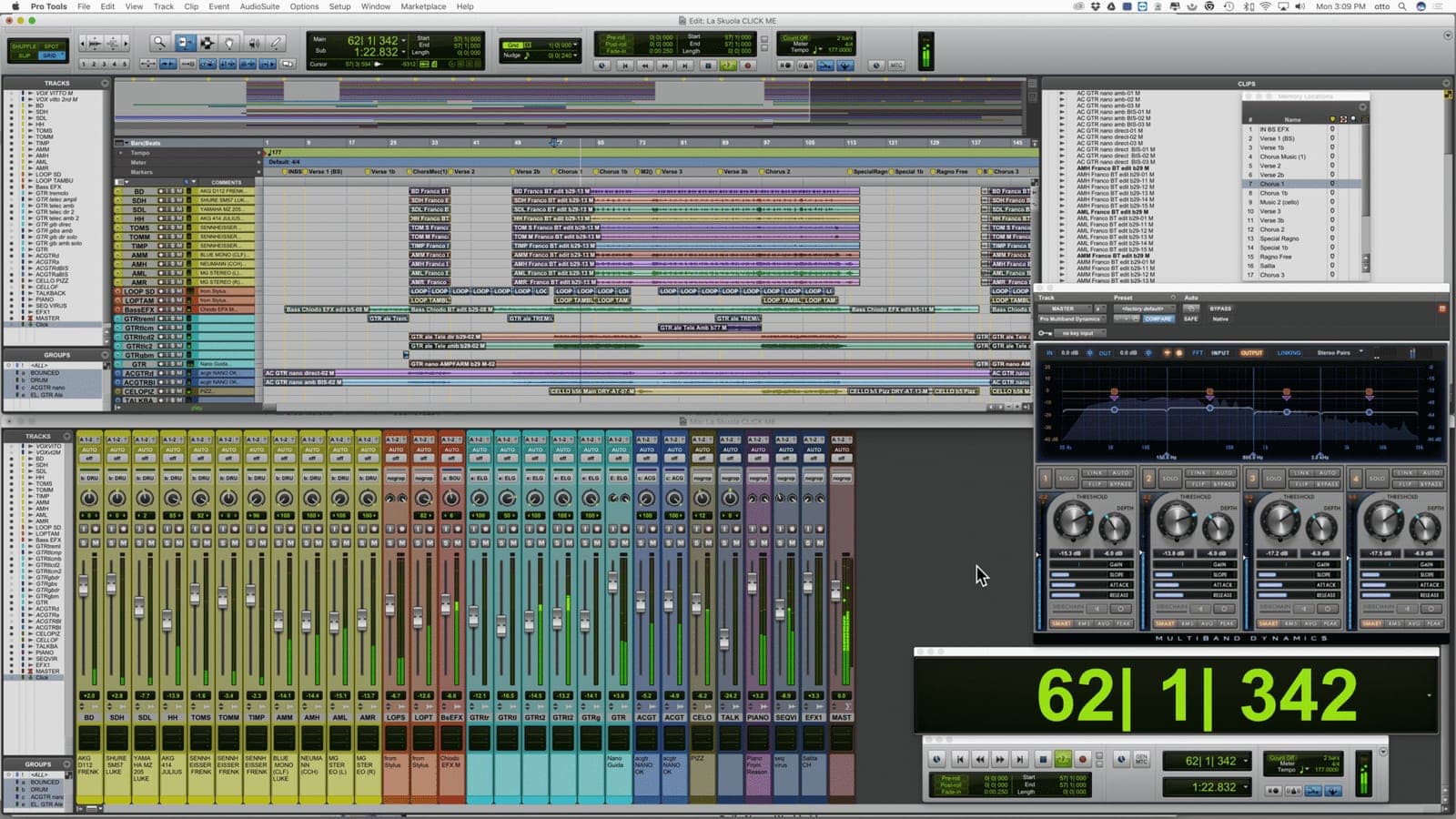
- →Edit & mix window introductions
- →Software installation, toolkits, iLoks & licenses
- →Avid hardware and other compatible interfaces
- →Launching Pro Tools & session start up
- →File format, bit depth, & sampling rate tips
- →Pro Tools file structure and file management
- →Importing audio, creating and track arranging tips
- →Edit modes - all about Slip, Spot, Shuffle & Grid
- →Multi-tool (Trimmer, Grabber, Selector)
- →Transport window - tempo, pre & post roll count off
- →Grid and nudge values
- →Edit window orientation
- →Recording techniques, punching in & out
- →Creating click tracks, playlists and loop recording
- →Auxiliary tracks, effect sends & foldback mixes
- →Memory locations and markers
- →Grouping tracks, solo modes, pre or post fader
- →Pro Tools and interface I/O - microphones and instruments
- →Strip silence and tab to transient and consolidating clips
- →Repeating and duplicating clips
- →MONO, stereo, and panning
- →Overview and automation for plugins and effects
- →Clip based gain and automation
- →Pencil tool, TCE (Time Compression Expansion Tool)
- →Master Fader, VU and peak meters
- →Beat Detective - time correct live drums
- →Exporting audio, bouncing mixes and dithering
- →Creating drum loops in Pro Tools
- →MIDI controllers and editing MIDI
- →Printing software Instruments
- →0dbfs and digital clipping
- →Preparing your session for mix-down
- →Consolidating audio and cleaning up your session
- →Exporting MP3s and Editing METADATA [mkd_icon icon_pack="font_awesome" fa_icon="fa-solid fa-arrow-right" size="mkd-icon-tiny" custom_size="" type="normal" border_radius="" shape_size="" icon_color="#ce1713" border_color="" border_width="" background_color="" hover_icon_color="" hover_border_color="" hover_background_color="" margin="" icon_animation="" icon_animation_delay="" link="" anchor_icon="" target="_self"] Mixing techniques for post production, including film & TV
- →Key command shortcuts’ review
In our students' words.
“A nice relaxed working environment and detailed, in-depth working practices. I really got a lot from this course and answered a lot of questions I had about sound engineering processes in Pro Tools.”
Paul Tilley
Instructors
Ready when you are.
InquireDynamics
How compression works - attack, release, knee and look-ahead - plus noise gates and limiting, and what each is actually for.
Read →Phaser & Flanger
What separates a phaser from a flanger, the parameters that matter on each, and how to use them without wrecking your mix.
Read →Mastering
A full guide to mastering - what it is, how multi-band compressors work on the master buss, choosing crossover points and prepping tracks.
Read →Mixing Electronic Music
Creative gating and side-chaining for electronic music - gated reverbs, rhythmic gating, cleaner effects and upward compression.
Read →Understanding Reverb
Reverb is one of the most widely used time based effects in audio, and one of the most fascinating. Depending on how you use it, it can help or hinder your mix. Luckily, many parameters on reverb plugins are the same or similar, and can be explained across platforms. Understanding reverb is importan
Read →More Creative Mixing Techniques
Reverse effects, distortion, miced amps and the practical side of sample clearance - what it costs and how to avoid needing it.
Read →